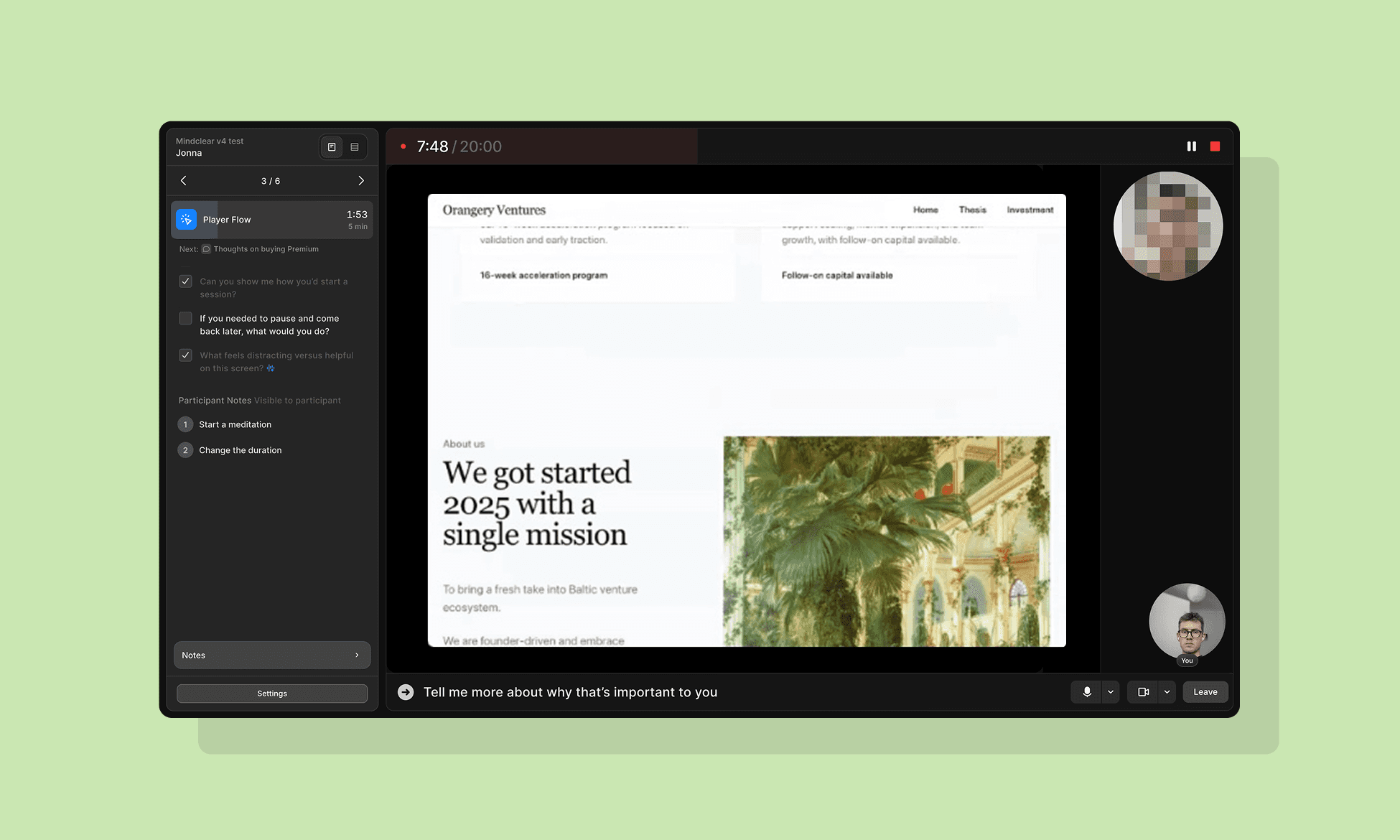
Junier is a tool I designed and built as an independent founder. It helps design and product teams work smarter by generating targeted insights for their work, informed by user feedback sessions.
I started Junier because I saw a fundamental change in how teams do design and product work due to AI. As AI takes over more of the execution - generating designs, writing code - what will matter is understanding what to build it, and why.
Additionally, I saw a gap bewteen how feedback was currently done and shared, and how it actually applied (or didn't) to product changes. User research is done with the right intentions, but usually ends up in presentations people forget, documents nobody reads, and knowledge-loss when the go-to person leaves the company. I wanted to build for that by creating a layer that automatically empowers everyone in the team and improves their work.
See more at https://junier.co.
Capturing product feedback
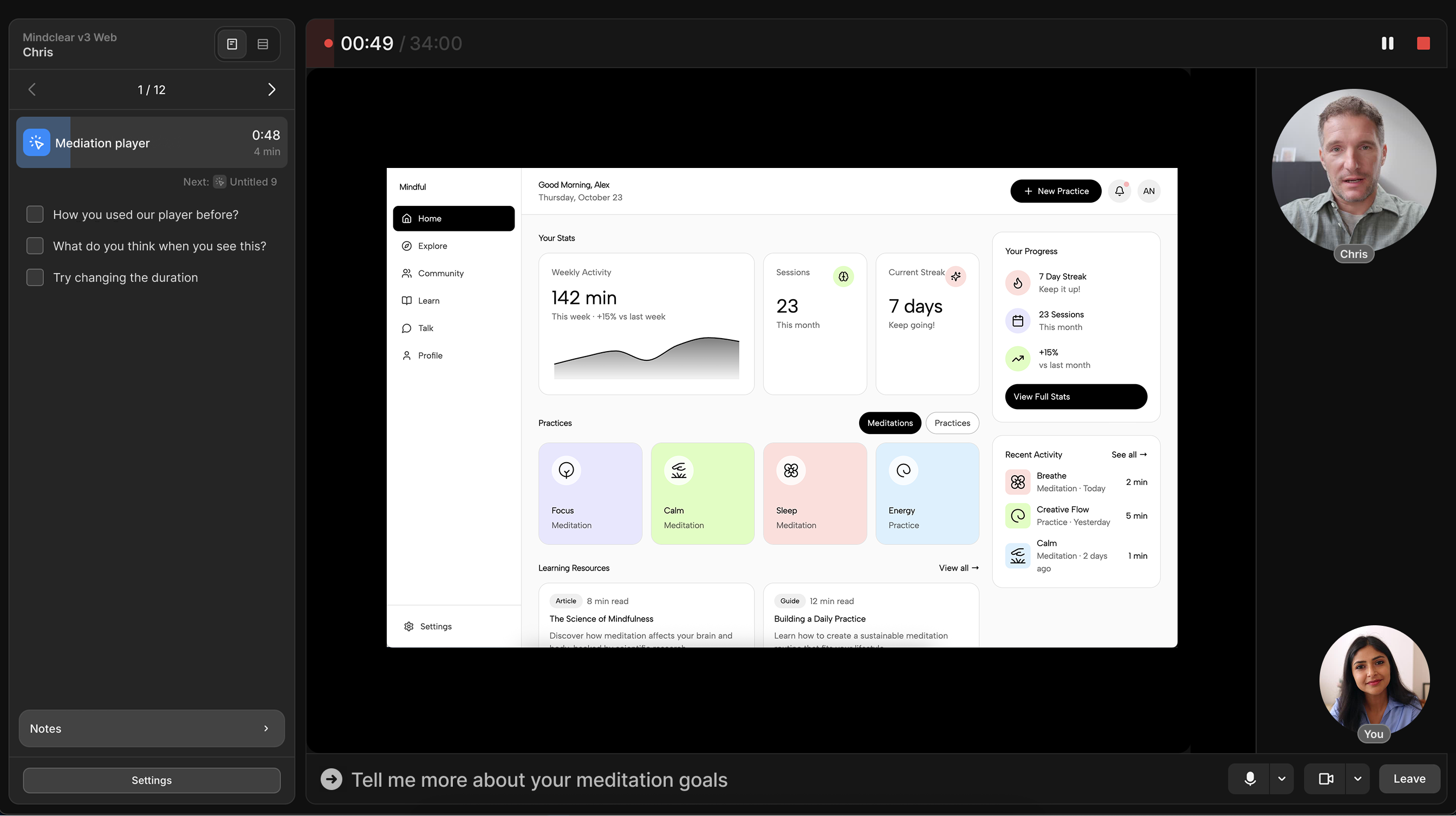
The core part that drives the Junier tool features is session data. With live sessions, designers and managers can get rich feedback from users by integrating their product experience into the session (like a live prototype from Lovable or Figma), and then have it surfaced right into their faviourite tool, automatically.
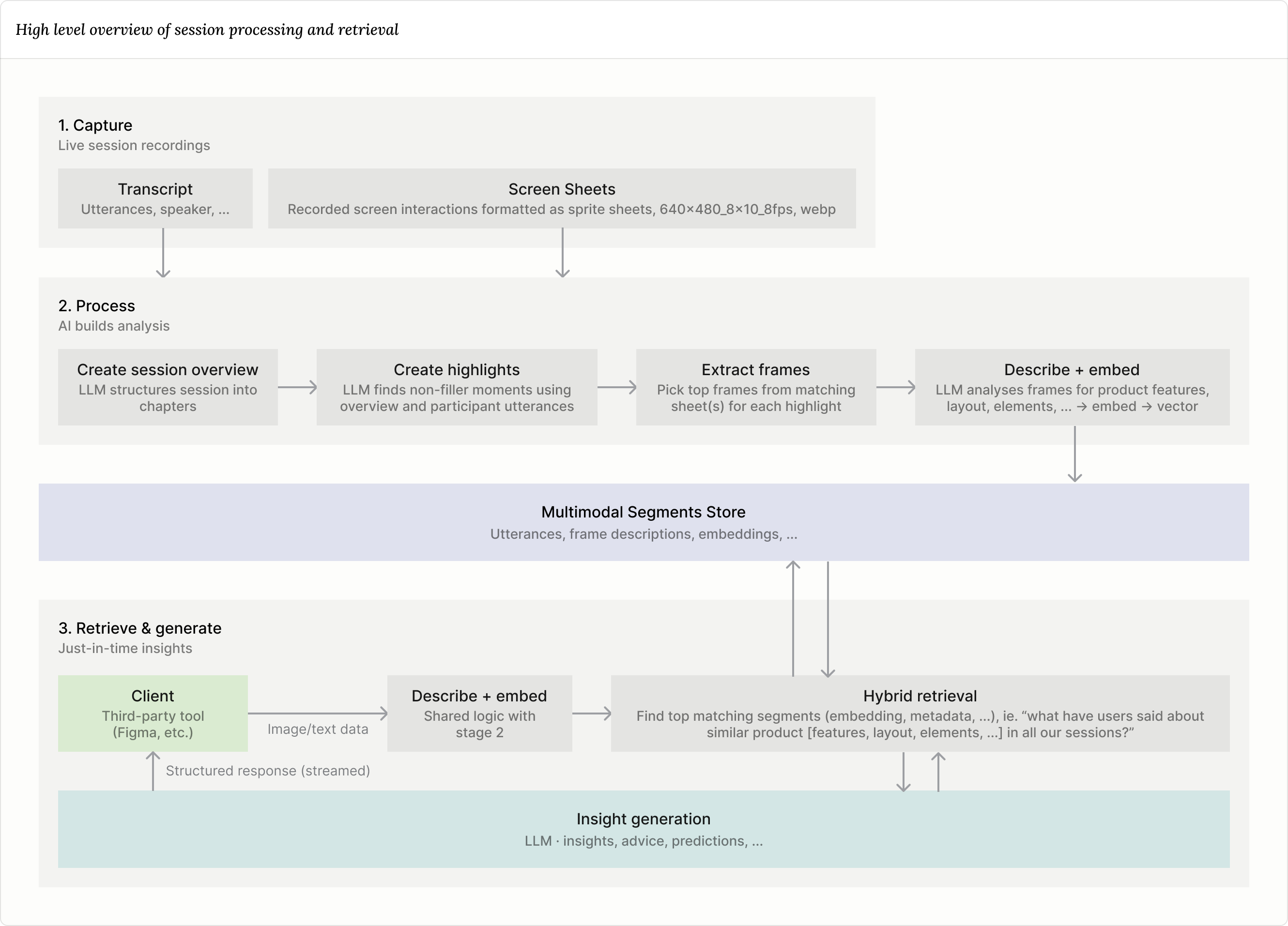
Below I lay out some of the core components of why and how I built this. If you're technically inclined, I included a high level architecture diagram at the end of this section.
Supporting the facilitator
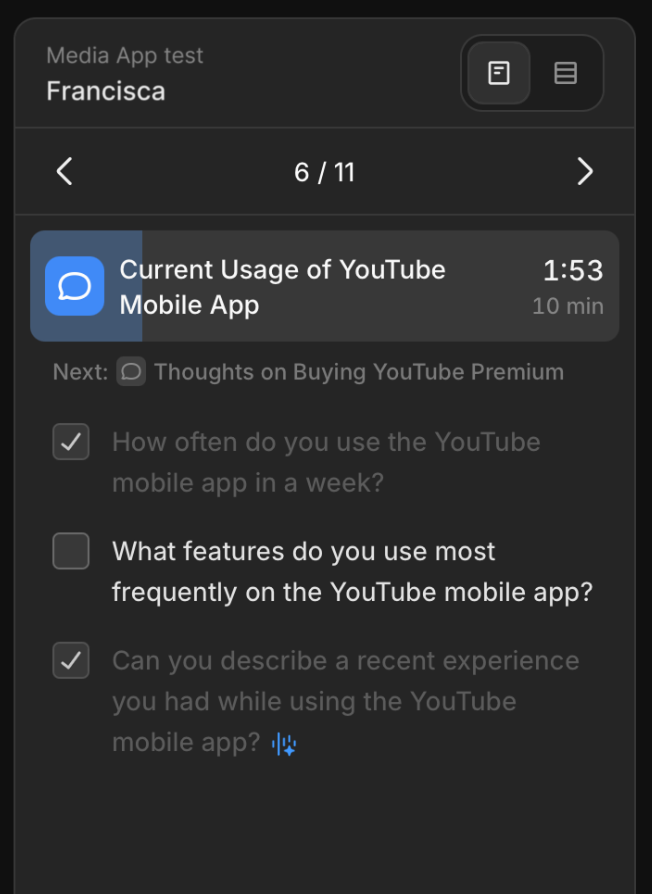
One goal behind sessions was to create the ideal conditions for data collection, as this is what drives everything else downstream. This means providing the best conditions to get the most out of the valuable time spent with users, enabling the facilitator to focus on being present, leting them do what they do best. Junier includes features for this, more precisly automatic script check-off and follow-up suggestions. These are enabled by realtime transcription paired with an LLM. Follow-up suggestions required a lot of prompt-tuning, ensuring they are readable, non-trivial, and actually react to what the user just said.
Recording what matters
Handling recording of sessions was one of the biggest technical challenges. The main goal was to drive the complexity and cost down as much as possible to keep price low to drive usage (more sessions -> more context -> better insights).
This was achieved partly by handling recording client-side, with extensive use of MediaRecorder, including segmented uploading for stable uploads.
Recording screen interaction
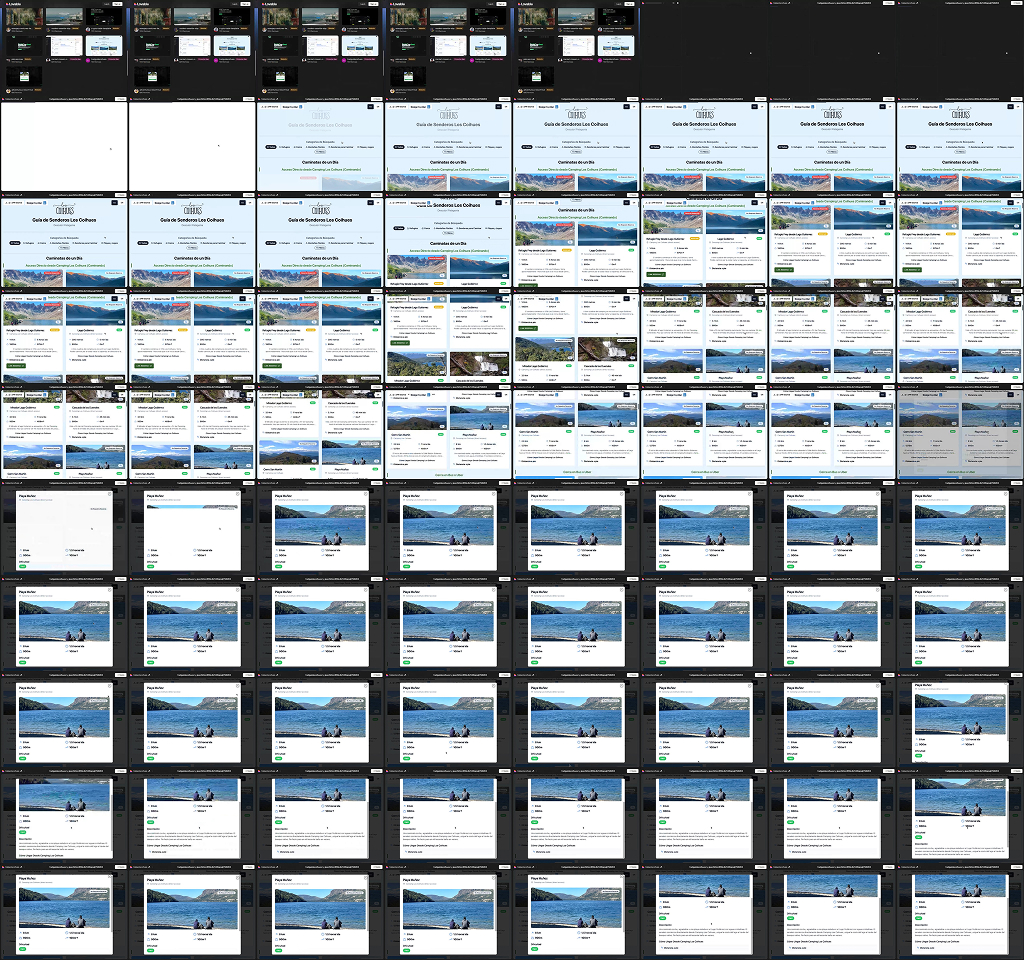
One of the things that I'm most proud of regarding session recording is the method for capturing screen interactions. Instead of capturing video, I built a solution that captures "sprite sheets" - one image containing a series of small images covering a timerange. This was done for a few reasons:
- Video AI analysis is expensive, and not quite there yet for in-depth analysis. It's great for broad overviews (
"The user checked out their cart.", 2:23–2:38min), but not for interface analysis needed for detailed similarity matching down-stream. This will very likely change in the future. - Keeps enough detail to capture nuances for analysis and playback. I explored different framerates and found 8fps to be a sweet-spot between analysis/playback quality and storage cost. This would need to be increased to capture small UI lag details, etc.
- Enables faster and cheaper processing.
Making knowledge work
One of the things that makes Junier special is that data captured through sessions is by default multi-modal (the "capturing what users say + do" part). This is reallt important for product feedback, because often, text data alone is not enough to infer value.
For example, you may see user feedback like: "Yeah... I'm not really sure i understand what's going on here. I think that thing at the bottom is what's confusing me." in a transcript. But, by itself, this statement has very limited value (if any). You need to know what the user was interacting with.
In Junier, all feedback is tied directly to a product experience. This enables surfacing highly relevant context wherever design work happens.
Inspections
Inspections are the contextual analysis that happens through Junier plugins, like in Figma or Chrome. These plugins essentially work the same: get image data about what is currently on the screen (or a specific selection) and send that for analysis.
They provide specific relevant context like:
- Contextual insights
- Design guidance
- Feedback prediction
- Direct playback of session moments

Finding what matters
I built a hybrid retrival method of contextual queries (date, project, sessions, etc.) and LLM-infered data selection. By doing this, I achieved a near real-time method of fetching contextual data for all the LLM-powered inspection features. The data includes things like what the users said, what they said it about (product description), and specific session data.
Design guidance and feedback prediction
Each inspection is streamed back to the client as JSON — the server emits one fully-formed insight at a time as they are produced, and the client parses the response.